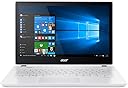
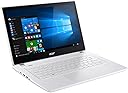
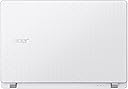
💼 Elevate your workday with power, style, and all-day freedom!
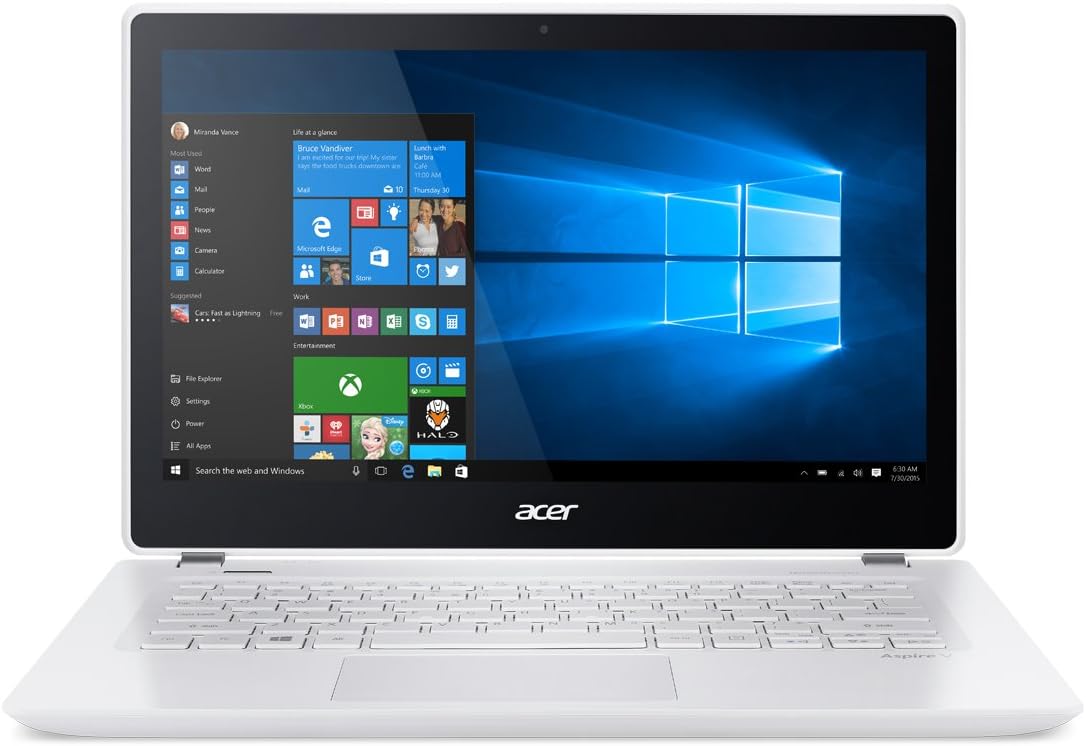
The Acer Aspire V 13 V3-372T-5051 is a platinum white, ultra-portable 13.3-inch Full HD touchscreen notebook powered by a 6th Gen Intel Core i5 processor with Turbo Boost up to 2.8GHz. Equipped with 6GB DDR3L RAM and a 256GB SSD, it delivers fast, reliable performance for professional multitasking. Its vibrant IPS display supports 10-finger touch, while up to 12.5 hours of battery life ensures all-day productivity. Comprehensive connectivity options include USB-C, USB 3.0, HDMI, SD card reader, and advanced 802.11ac Wi-Fi with MU-MIMO technology.


| ASIN | B01682HZAQ |
| Audio Output Type | Speakers |
| Automatic Backup Software Included | Windows 10, Windows 10 Home |
| Battery Average Life Standby | 12.5 Hours |
| Battery Cell Type | Lithium Ion |
| Battery Life | 12.5 Hours |
| Bluetooth support? | Yes |
| Brand | Acer |
| Built-In Media | Laptop^Power Adapter^Power Cord |
| CPU Model | Core i5 |
| CPU Model Generation | 6th Gen |
| CPU Model Number | Core i5-6200U |
| Cache Memory Installed Size | 3 |
| Color | Platinum White |
| Compatible Devices | USB devices, external displays, keyboards, mice, wireless accessories |
| Connectivity Technology | Wireless |
| Control Method | Touch |
| Customer Reviews | 3.8 out of 5 stars 86 Reviews |
| Display Resolution Maximum | 1920x1080 Pixels |
| Display Technology | LED |
| Display Type | LED |
| Form Factor | Laptop |
| Graphics Coprocessor | Intel HD Graphics 520 |
| Graphics Description | Integrated |
| Hard Disk Description | SSD |
| Hard Disk Interface | USB 3.1 |
| Hard Disk Size | 256 GB |
| Hard-Drive Size | 256 GB |
| Hardware Interface | Solid State Drive |
| Human-Interface Input | Touchscreen with Stylus Support |
| Item Weight | 3.53 Pounds |
| Keyboard Description | Standard |
| Lithium-Battery Energy Content | 32 Watt Hours |
| Manufacturer | Acer Computer |
| Memory Clock Speed | 2.8 GHz |
| Memory Speed | 1600 MHz |
| Model Name | V3-372T |
| Model Number | V3-372T-5051 |
| Native Resolution | 1920 x 1080 pixels |
| Number Of Cells | 4 |
| Number of Ports | 3 |
| Operating System | Windows 10 |
| Other Special Features of the Product | Support Stylus |
| Processor Brand | Intel |
| Processor Count | 2 |
| Processor Series | Core i5 |
| Processor Speed | 2.3 GHz |
| RAM Memory Installed | 6 GB |
| RAM Memory Technology | DDR3L SDRAM |
| RAM Type | SDRAM |
| Ram Memory Maximum Size | 16 GB |
| Resolution | 1080p |
| Screen Size | 13.3 Inches |
| Specific Uses For Product | personal |
| Total Usb Ports | 1 |
| Touch Screen Type | Capacitive |
| UPC | 888863394876 |
| Video Output | HDMI |
| Video Processor | Intel |
| Warranty Description | 1 year coverage for labor, 1 year coverage for parts, 90 day coverage for software support |
| Warranty Type | 12 |
| Webcam Capability | Yes |
| Wireless Compability | 802.11ac |
| Wireless Technology | Bluetooth |
A**A
If you're on on the fence about getting it... Get it!
I bought this laptop for 3 main reasons: 1) It has 13.3 inch display, which I thought was not too big or too small. 2) The Intel Core i5-6200U 2.3 GHz which I think are really good specs for the price 3) Touch Screen! My previous laptop was an 11 inch notebook with poor quality screen resolution, even though it was a touch screen that was able to be flipped over like a propped up tablet. That one was too slow and too small for what I wanted. Coming to this laptop was a major upgrade for me. Although the screen cannot be flipped back, I find that using the touch screen is rather pleasant sometimes. If I touch a text box, however, a keyboard will appear on the screen like it appears on tablets. Seeing that this laptop cannot be flipped around into a tablet, this feature is kind of pointless to me since I can simply type using the actual key board. The keys are pleasant to type on, though I should say that the keyboard does not include a number pad on the right, only the numbers on the top row. Some people might not like that, but it doesn't bother me, since I already knew that it was not included (that might be a feature seen more in larger laptops). If that doesn't suit you, I'm sure you can also purchase a separate number pad to connect via blue tooth or USB receiver. I bought this laptop for college schoolwork as well as for light gaming. I can play Sims 3 and a graphically intense MMORPG rather smoothly! I don't think this is considered a gaming laptop but I was really surprised at the specs for this price and figured that it would be good enough. I just couldn't shell out the money for a "real" gaming laptop, but this Acer does a wonderful job. I also love the brightness and vibrant colors that the screen produces, or at least it impresses me. Depending on what you're using it for, the battery life varies. If you are going to be surfing the net or writing documents then the battery can last around 8+ hours. If you are going to watch movies or play video games with the brightness at 100%, then it might last 3 hours or less. It just varies a lot, but overall I think the battery life is pretty good to last you a day out and about without the charger. In general, this Acer Aspire V 13 is just GORGEOUS. Its quiet, is bright, the sound quality is not bad, its efficient, it has good specs, it comes with Windows 10, its affordable compared to other notebooks on the market, and I also like that its white. For those of you who aren't sure of getting it because of the color, I wouldn't worry too much about keeping it clean. I guess this depends on your lifestyle, but I find that when a piece of dust falls on it, I quickly see it and I am even quicker to wipe it off. I have owned this laptop for a little over 3 months and I have not had a problem with keeping it clean nor the actual performance. I love it!! UPDATE: I have been using this laptop for about a year and 3 months, and it still runs perfectly! I have been using it in college for everything, from writing papers, watching videos, to using PhotoShop and a variety of other software. I still enjoy playing games such as Sims 4 and other graphically intense games. I do my part in helping it maintain a smooth performance by removing unused files, programs, etc, and often scanning for viruses. I use it almost every day. This has been an extremely reliable computer for me, for it does everything I need it to while still operating as it did when I first received it. **Something Important that made me think my laptop broke but it actually didn't** Sometimes I put my laptop in sleep mode by simply closing it. Usually, it wakes right up when I open it after several hours, but sometimes, it doesn't turn on even after pressing the power button. The first time, maybe 5 months after I purchased it, I was afraid that I broke it or mistreated it somehow. I noticed that the left light above the power button (has a light bulb symbol next to it) was flashing orange. Upon searching online and through the user manual, the solution to this is holding the power button for approximately 30 seconds, or until the light stops flashing for a good 5 seconds, whichever comes first. I let go, then press the power button again as normally. 100% of the time, the laptop turns on and functions as expected. This situation happens to me maybe every 2-4 months, but I think it can be avoided completely by turning the laptop off when it is not in use for many hours rather than putting it to sleep like I do. This does not at all change my five star rating! For me, the pros for sure outweigh this. I definitely see myself using it for the rest of my college career (2 more years) and a couple more years beyond. I rely heavily on reviews when purchasing stuff on the internet and know the importance of writing them as well to help others in their decisions. If you found this review to be informative in any way, please mark as "helpful". I would appreciate it very much! Have a great day!
A**R
It's okay, it works. What you'd expect for 500 bucks.
My BIGGEST gripe with this thing is that when I bought it, Amazon advertised it as having a 12 hour battery. I ordered it, opened it up and it said right there on the laptop that it was an 8 hour battery. I though that this was misleading on Amazon's part, something I find rather disappointing. Aside from that, it works. It gets the job done. It has weird quirks where suddenly the brightness control sometimes has the ability to dim the screen to the point of complete darkness, and at other times it cannot do that. The touchpad is serviceable, not particularly great. Multiboot is a nightmare, getting Linux onto this thing has proven to be quite the nightmare. Windows Updates have some strange installation quirks as well. Performance slows to an absolute crawl when battery drops below 10%. If you're looking for a light, portable laptop with an SSD (the performance of which is pretty reasonable), this will do nicely. Don't expect to do any heavy computing with this. My use case is pretty specific: ferrying data from my desktop to my Boss' office, and running MS Office and OriginPro, and for that job it's fine. Forget gaming, forget large spreadsheets, forget solid multitasking, this reminds me of one of those Intel Atom netbooks. EDIT: Okay update after some extended use: the trackpad is ABSOLUTELY AWFUL. It's frustrating. It's like if you want to right click, the laptop basically says "nope, screw you, I'm gonna left click." It was bad enough that I took a break from writing a report that is due in 12 hours, simply to log onto Amazon, and update this review. Atrocious trackpad. Use with USB mouse only.
C**S
Great Machine, Poor Keyboard
Nice little machine. I installed Ubuntu 16.04 as dual-boot on it and the distro runs extremely quickly and responsively. Touch screen and wifi worked without extra configuration, which are usually areas of pain for laptops running various linux versions. Windows also runs very well on it, I just prefer using linux as my go-to - so I can't comment on Windows driver support. Aesthetically it's quite gorgeous. When closed it's thin and attractive, the white looks very professional. When open, the screen is bright and text is crisp, a side effect of having a glossy screen. As a result, screen glare is an issue with this laptop. If you're looking for something to use outside in the sun a lot, you might seriously consider something with a matte screen. The laptop charges quickly, and holds a charge well. I don't have hard numbers for battery life, but given I've never had to rush off to plug it up I'd say it's suitable for a laptop. My only real complaint is with the keyboard. I'm a software developer, so I type a lot. I bought this primarily as a travel and kick-back reading laptop to work through books and material. The keys on this laptop are all plastic, and while they do have an acceptable response to them, it's not the most enjoyable laptop to type on. Keys have short travel time with a very slight click, so I often find myself typing harder than normal just to feel as if I'm actually working on the keyboard. In comparison, I also have a (very weak configuration wise) lenovo thinkpad that was built like a tank for around 300$ about 3 years ago. They keyboard on it was a joy to type on compared to this, and anyone who's used mechanical keyboards will instantly feel the difference. That said, I'm giving it 4 stars. I don't think the keyboard is a big enough issue to not buy it, unless you absolutely cannot stand keyboards of this design. All in all, this is a solid machine. It's not a macbook, but most people don't really need a macbook. It's a great contender in it's price range as well. No regrets on this purchase.
N**S
You will be delighted and amazed with this computer
You will be delighted and amazed with this computer. I had done a lot of research coming into this purchase, as there are many more options on the market regarding laptops than there were only 2 years ago. I ended up coming back to this laptop a few days after originally seeing it and will mention that I purchased the Intel i5 processor version (the i7 actually wasn't offered 2 weeks ago). I can say right now the i7 will give overall better performance however if you are looking for a lickity split word processing, powerful spreadsheet crunching, seamless powerpoint making machine that can do all these at once without any delay, the i5 Skylake in this baby will get the job done and then more. The laptop boots from no power to login screen in about 10-15 seconds and when the screen is opened, boots from sleep in literally under 2 seconds due to the SSD CHIP on this tiger. ""If you have chosen or do chose to purchase this laptop, I highly recommend installing Acer Care Center in order to keep all of your drivers up to date. In particular there are touchscreen and display drivers specific for this 372T-5051 version of the V 13 model that will benefit your experience. You can find this program with a quick google search or at the OFFICIAL Acer Website. Note: I would not recommend any of the functions in Acer Care Center besides the driver update feature."" Overall this computer exceeded the performance I was expecting it to, and I came into the purchase with high expectations. I will get into further detail on what I have noticed over the week I have been using it. The processor in this bad boy alone is Sky Lake and sells for almost $300, where you will get no better deal on the market if you are looking for a 13.3" laptop with no dedicated graphics card. I purchased this laptop for school work, and based off of my calculations it should provide me with more than enough performance for nursing courses over the next 3-4 years. Full disclosure, I did install 16gb of RAM (around $55) in this bad boy just for fun to make sure it is optimal and a cheap-ish upgrade; however, there is no noticeable difference at the moment between it's 6gb stock RAM the now installed 16gb. I installed the 16gb ram to allow full utility whilst leaving all of my documents and files open and give wiggle room for the computer in the upcoming years The i5 6200u Skylake processor typically hangs out around .7-.8 ghz to retain battery power but responsively jumps up to 2.4-2.8 ghz when applications are booted or processes are being ran. The skylake in this computer is really what brings it together and makes it a masterpiece. I am almost jealous comparing it to the 2 1/2 year old i7 4790 in my desktop computer. I have been using the laptop for a week, so I cannot testify to it's longevity however the laptop has a aluminum body, although it is painted white, that is extremely durable for both the screen half and keyboard half. The keys type nicely however with a smaller body will take about a half day of getting use to. The touch screen comes in extremely handy so you do not always have to have a mouse on you and still be able to click small text links on webpages without much effort. The battery life on this laptop is all that it is advertised and then perhaps a little bit more. I have charged my laptop to full 3 times (1 being the original charge) where I still have 80% on my 3rd charge. With this said, the battery life will last you right around 6-8 hours (depending on activity) at around 50% screen brightness, which is usually more than enough in daylight. I will note that this laptop will not play any super fancy AAA games. However it can for example play Overwatch on medium graphics for a while with the fan pumping. It wont be impressive but it does respond nicely. I highly recommend this computer for anyone looking for an "ultra-book" design with, at the moment, a state of the art processor in it. The added bonus of a vivid touchscreen and sleek, white aluminum body is not a bad deal for the money either. If you are in school or just need a top to do your work on, this is an extremely viable choice for you. I will also add that since this is the signature edition by Acer, it will come with no pre-installed bloatware. There will be Acer programs installed however these are important for driver functions. Enjoy!
D**E
Broken right outta the box
Not even 30 minutes into first boot, this thing was popping audio driver errors. Each time I tried to use Cortana, the speaker icon within the task tray turned to a red X. Basic troubleshooting - opened Device Manager > clicked on Audio > right-clicked on Microphone > Uninstalled. Same with the Speaker drivers. Rebooted device. Drivers reinstalled. 99% of the time this process fixes corrupt drivers by using protected native files on the hard drive. Reboot... Worked! Almost. Cortana was not giving audio feedback. Speaker and the mic work, confirmed through YouTube videos that came in loud and clear, and through Cortana, which actually responded via text feedback to my voice inputs. But not by giving vocal feedback. And Microsoft forums were zero help - one thread titled "Cortana won't speak" was 12 pages deep with the same complaint, but no response or resolution from a Microsoft rep. Reboot... Audio drivers failed again! Called Acer tech support @ 866-695-2237. Short version - the guy told me to just return the device. He didn't even bother trying to troubleshoot, which I was kinda thankful for. His reasoning; if it's broke right out of the box, it ain't worth trying to fix over the phone. I already processed a return, but won't take my chances with another Acer system. And my fault - I only own ASUS systems, and this was my first foray away from that brand, which never gave me problems I couldn't resolve locally within minutes. NOTE: If you have a similar issue and need to return a computer system to the vendor, be sure to restore it to factory defaults first. Considering how invasive Windows 10 is, almost worse at data mining than Facebook, this action is prudent to destroy any personal data you are forced to share during initial setup.
M**.
A very good laptop for a student
No bloatware that you see on most laptops. I finally bought a laptop that I didn't have to uninstall McAfee or Norton from. A+. I use my laptop for school only so I'm a pretty light user. I will take notes in classes and move them to my desktop PC to use at home. Therefore, I don't use it very often and a full charge will last me a whole week. In reality, I can get anywhere from 7 to 10 hours of use out of it. The CPU is one of the better ones I've had in a laptop. It plays Alto's Adventure quite nicely for when I'm bored in class (shhhhh!). It'll handle light workloads fairly well. I'm heavy on a keyboard, and I can honestly say this is not the best keyboard I've ever had on a laptop. Size and stoke are good enough for me, but the arrow keys are awful as I can never reach for the right one. I wish there were dedicated Home and End keys as I use those all the time on my desktop. I can't knock it too much for that, though. The mousepad also gets in the way from time to time, but I'm not going to knock it too much for that either considering the price. And that's what it really comes down to. Dollar-for-dollar, this is by far the best laptop I have ever owned. The SSD is blazing fast, the CPU is rock solid, and I get plenty of battery life that I don't have to worry about whether I've charged it. The keyboard and mouse aren't the best I've ever had, but they are definitely workable, and if a friend were to ask me if they should get this computer, I would without a doubt tell them yes.
T**M
Beautiful computer. Unstable software. Inept tech support
When rating the quality of technology items, I consider 3 things. The fit and finish of hardware. Software usability and stability. And the knowledge and responsiveness of tech support. With regard to Hardware -- this machine gets a solid 4 stars. But with regard to both quality of software and effectiveness of tech support it rates a 1 in both categories. To make a long multi-day story short. After going through the setup steps, which were painless and easy to follow, the computer repeatedly and frequently disconnected from wifi. An internet search showed that this was a common problem. Tech support was contacted 5 times and each time a new solution was attempted. Ultimately, I was told to return the computer for repair. What makes this so maddening is that this did not happen just once but 2 times. Because I like the hardware so much, after it was suggested that I return the first computer I immediately turned around and bought replacement. The replacement experienced the same problem. Again the tech support personnel were unable to correct the problem with wifi disconnecting and it was recommended that I return the computer. (It should probably me mentioned that all other pieces of technology using the network operate without difficulty.) Bottom line. Very nice hardware. Unstable wifi software and ineffective tech support. 2 stars might be a bit generous.
E**A
Driver display and trackpad issues
I'm not sure how I feel about it yet. I've had it a little less than a month and from day 1 it's had the display driver crash on a daily basis. It immediately recovers itself and I probably wouldn't notice more than a quick flicker of the screen except it notifies me that it happens every time. Windows 10 is ok, but I'm old school so everything still feels and looks a little strange to me. Trackpad has worked fine except one day it wouldn't let me select without actually clicking. Was fine after a restart. Laptop looks nice, not too heavy. Love the tablet option for touchscreen. Just feel like I shouldn't be having problems with it so early on.
Trustpilot
2 weeks ago
2 weeks ago