Buy anything from 5,000+ international stores. One checkout price. No surprise fees. Join 2M+ shoppers on Desertcart.
Desertcart purchases this item on your behalf and handles shipping, customs, and support to QATAR.
🔔 Stay ahead with SpeakerHub — your home's smartest voice of alert!
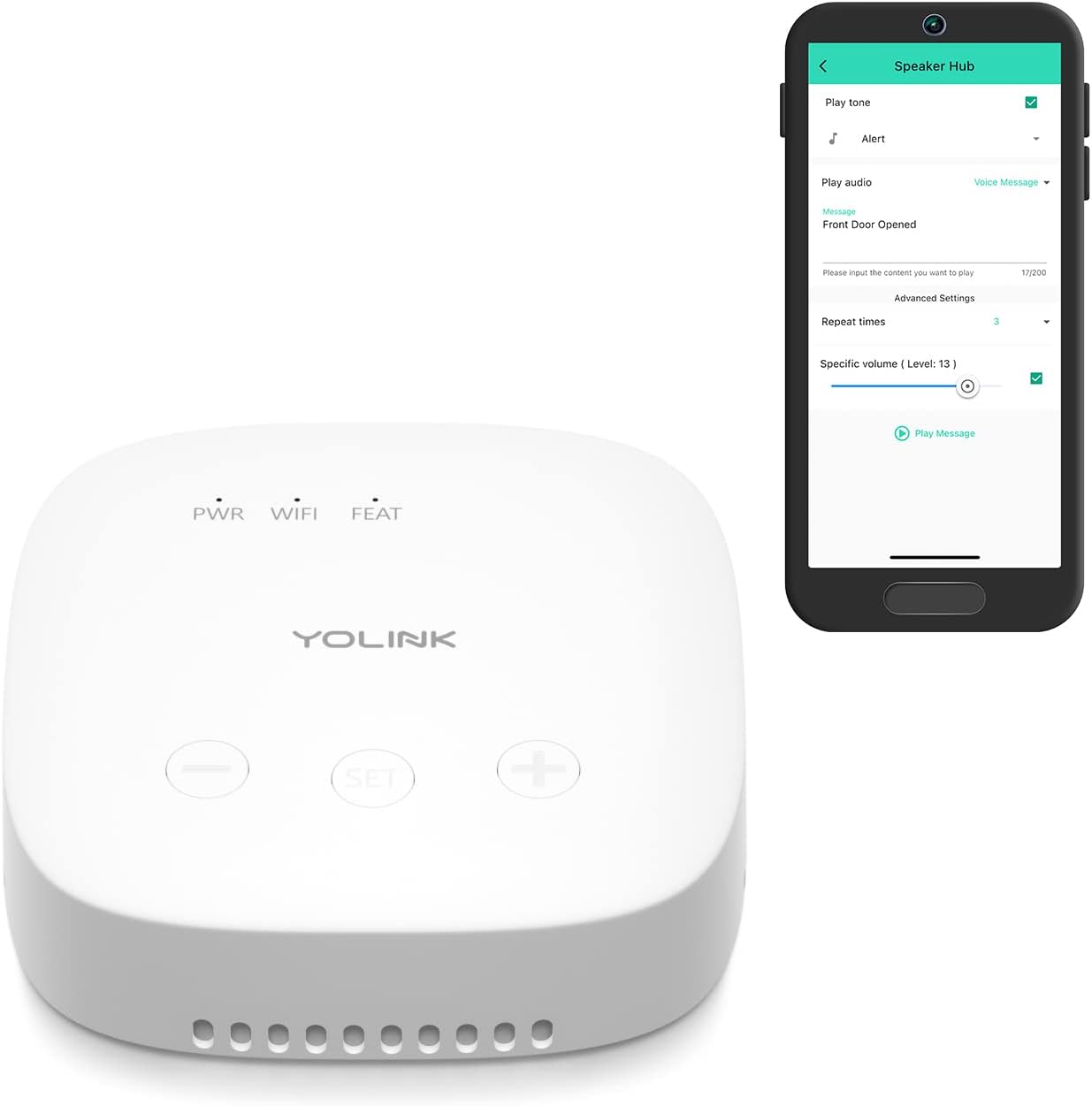
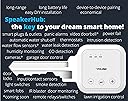
SpeakerHub is a compact, WiFi-connected smart speaker delivering customizable audible alerts and text-to-speech messages with a robust 25W output. Powered by LoRa technology, it covers up to ¼ mile for reliable notifications like security sirens, door chimes, and system alerts. Designed for privacy with no microphone, it pairs seamlessly with Android/iOS apps and requires simple USB power, making it the perfect discreet smart alert hub for modern homes and businesses.



| ASIN | B09FSS95G9 |
| Additional Features | Portable |
| Age Range Description | Adult |
| Antenna Location | door |
| Audio Driver Type | Dynamic Driver |
| Audio Output Mode | Built-in sounds/tones, MP3 files, Text-to-speech |
| Best Sellers Rank | #8,841 in Tools & Home Improvement ( See Top 100 in Tools & Home Improvement ) #28 in Home Automation Hubs & Controllers |
| Brand | YoLink |
| Built-In Media | Free U.S. Shipping, Orders $50 & Up, Hassle-Free 60 Day Returns, 2-Year Warranty, Do-It-Yourself Installation, 100% Satisfaction Goal |
| Color | White Speaker Hub without Battery Backup |
| Compatible Devices | Smartphone, Laptop |
| Connectivity Protocol | LoRa |
| Connectivity Technology | LoRa |
| Control Method | App, Remote |
| Controller Type | YoLink SpeakerHub |
| Customer Package Type | Flat Free Package |
| Customer Reviews | 4.5 out of 5 stars 495 Reviews |
| Enclosure Material | Plastic |
| Frequency Response | 915 MHz |
| Is Waterproof | FALSE |
| Item Dimensions D x W x H | 2.95"D x 3"W x 0.91"H |
| Item Type Name | YoLink SpeakerHub |
| Item Weight | 0.13 Kilograms |
| MP3 player | No |
| Manufacturer | YoSmart |
| Maximum Range | 0.25 Miles |
| Model Name | SpeakerHub |
| Model Number | YS1604 |
| Mounting Type | Door Mount,Freestanding,Plug Mount |
| Number of Audio Channels | 1.0 |
| Number of Items | 1 |
| Number of Power Levels | 1 |
| Power Source | AC |
| Processor Count | 1 |
| Speaker Maximum Output Power | 25 Watts |
| Speaker Size | 3 Inches |
| Speaker Type | Multimedia or Multi Room |
| Subwoofer Diameter | 3 Inches |
| Tweeter Diameter | 1 Inches |
| UPC | 850024791398 |
| Unit Count | 1 Count |
| Warranty Description | 1 Year Warranty |
| Warranty Type | 2-Year Warranty |
| Wireless Technology | Wi-Fi |
G**F
Yolink speaker hub
Amazing hub, you get audio message of alarm, and you can use your own file for custom messages. Simple setup
P**R
Works Well!
I purchased this motion detector with the Yolink motion detector. I installed the motion detector on a tree next to my driveway and so far it has worked very well and reliably. The speaker hub is in the kitchen and it announces when someone drives or walks into my driveway. I also have three of the Yolink door sensors and those too have worked very well. Very pleased with the results so far. Excellent results with a value priced system.
A**R
Great system
Best system we have used! Very little false notifications. Very easy to set up and install.
A**S
Easy to use
I used this hub with yolink freezer sensors. They were very easy to set up and already helped me prevent spoilage when a breaker tripped and my freezer turned off. Only minor complaints so far: 1. Sometimes it'll update every 30 seconds and other times it won't update for up to 30 minutes at a time. There's no indication in the app what causes this. Is it a connection issue? It's not based on stability of the temperature. 2. This one is user error, not the device's fault. You have to set the alerting thresholds lower than you'd expect to avoid false alarms. The devices capture all of the normal temperature variations throughout the day and happily alert even if nothing is actually wrong.
D**E
Great little box for voice messages about YoLink events customized the way you want.
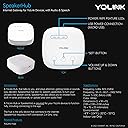
I'm totally blind. The first thing I noticed about this is the box is square in shape and about 1 inch tall when sitting on a table. The power cord is a micro USB cord and plugs into the box with the points down. The box is meant to be set on a shelf or table. There are 3 buttons on the front of it near the front edge. The QR code is on the underside of it. There are little wholes all around the lower edge of the unit when sitting on a table. After plugging in the box and then trying to determine what the 3 buttons did! I found the left most is Volume down, the middle one I'm guessing is for configuring it being it didn't seem to do anything when pressed a few times. The right most if volume up. When into the App and scanned the QR code and then pressed the center button to get the hub online. The hub on its own doesn't give any voice messages or nothing like that. Tried that to see what it would do on its own out of the box. But again that could have been the way I have the sensors configured as far as alerts. Next went and played with the Automation smart stuff in the App to see what I could do. Yes you can create automation for the hub and have it play a sound along with speaking a written message that you type into the App on your phone. You can have the tone and message also repeat a few times if you like. You can also set the volume in the App, but that doesn't work for a totally blind person Being the controls doesn't work for a person using a screen reader. The nice thing is there is a test button that you can tap when setting up the sound/voice stuff so you can hear how it sounds. Default volume is whatever you currently have the hub set at if you have the volume box unchecked in the automation. So using the buttons on the hub itself and the test button in the App, set the volume to your liking and leave it. I found the speaker when doing this is on the underside of the unit and is facing down. The sound will hit whatever the hub is sitting on and then the little wholes around the lower edge causes the sound to come out all around the unit. So this unit should be set on a hard place like a table top or wooden shelf. Do not set it on something soft! If you do that, the sound will be soft and muffled. At highest volume, this may be OK for a single room. For me, this will not wake me up from sleeping being it takes something with more room filling sound to do that. If you want or need something with more room filling sound, you cannot connect an external speaker to this to help out with sound or volume.
V**R
Buy it now !
Product is excellent! Moved to a new spot and needed some security but wanted to skip the subscription. This company is A+ and everything works and integrates beautifully! Definitely recommend!
S**Y
I like this and hope it works.
I just bought the Speaker Hub along with the door sensor. I wanted this for my mailbox. Every day I go to get the mail and it's not there yet. Hopefully this will tell me when the mail person delivers the mail. I will say that the instructions on this are VERY VERY CONFUSING. I contacted support. they responded right away with step by step instructions. Made all the difference. I still have not yet tried to items in the mailbox but will tomorrow.
R**T
Failed after a year? No longer connects to network
8/27/2024 Update: I had (2) of these speaker hubs. Seemed to work fine, even the odd programing style once you get used to it is okay if not clunky. But, I had both units fail via falling off network. First they fell off the wifi a few times a day. then they ramped up this failure and then just wouldn't connect. Note- I never changed my home network or WiFi setup or frequencies in use. It's a UniFi system and cost a couple thousand so it's not just cheesy WiFi issues. I'm not sure on this brand any longer. I will use my remaining gear until failure then trash it as it seems like another case of planned obsolesce and I have no need for that in my life- it's possible the wireless systems have a finite life but I need to know that prior to any purchase. My families security is one thing I demand 100% reliability with and YoLink has failed here. Old review: There is a lot of potential with Yolink as an ecosystem. My issue is the absolute randomness of programming and setting names that mean nothing outside of this system. Scenes? Automation? Alarms? Buried settings?? None of this has much common sense to it. I've been trying to assign a simple motion sensor as an alarm that I can enable and disable via a Yolink fob. Nearly impossible for me via the app. The feature set is cool in theory. But man o man. Maybe make some guides for people and skip all the lingo? Just simple examples?? Or is the system so esoteric that it's not possible? If you need a 10 page .pdf for a simple motion alarm strategy then you failed as a systems designer/programmer imo. I make really good money as a tech (industrial controls engineering), years of PLC and DCS/HMI programming and can figure most things out- these are intuitive things, Yolink is not. I've read numerous guides and watched videos etc... It doesn't help. I feel there is a translation error and if I could read Chinese perhaps the native Chinese instructions actually make sense?? This entire system is a jack of all trades wannabe and it fails at being a really good "out of the box" solution unless you forget all things you know about alarm systems (like the ELK M1 which is a gold standard) in order and learn this specific nomenclature. "Scenes"? I don't need a scene or an "automation". That's for the home automation people obsessed with flipping on a stupid light bulb like the X-10 nerds from the 80s. No. I need an alarm tab that just alarms- (If motion then alarm if alarm is active). A simple enable and disable. But I seem to have to configure 4-5 things to accomplish 1 task? Perhaps this is a feature? But I see it as a design/programming flaw. You can't really mash all these features together and expect it to make any sense. Likely all my Yolink devices sans a camera will end up in the trash soon and I'll just pick up a purpose built alarm system. I just have no interest in learning yet another propriety way to program. Standardize this stuff people. It's not that tough!
L**R
works perfect batteries last ages
works perfect, easy to setup. batteries been in for over 12months and still going strong. best on market
Z**R
NO FUNCIONA
No se le conecta el detector remoto de la misma marca. Un engaño. Servicio postventa que se desentienden.
B**K
Absolutely Wonderful
This is a high quality product. It works every time. The connection is great. I recommend it to everyone.
P**E
Bon système vol pour la maison et etc.
À date qualité/prix #1. pour ma part, la configuration des différents appareils dans l'application n'est pas facile. plusieurs vidéo (En anglais seulement) mais quand vous poses les questions à IA. il devient facile de configurer selon vos critères. Je recommande le produit.
E**C
Great products great customer support
This is one of several products I’ve bought from Yolink. I have several water sensors and thermometers as well I use thermometers outside in temperatures that go as low as -30. Over the course of 2 years none of the sensors have malfunctioned and they still have more than 3/4 battery charge. I had a speaker that started glitching after a1.5 years and I when I contacted the company through email they instantly responded and promptly sent a replacement. Highly recommend them
Trustpilot
2 weeks ago
2 weeks ago