Desertcart purchases this item on your behalf and handles shipping, customs, and support to QATAR.
🚀 Elevate your Linux WiFi game with speed and range that won’t quit!
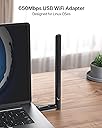
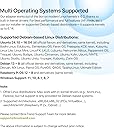
The BrosTrend AC650 Dual Band Linux WiFi Dongle delivers up to 433Mbps on 5GHz and 200Mbps on 2.4GHz bands, featuring a powerful 5dBi adjustable antenna for extended range. It supports a wide range of Linux distros including Ubuntu, Debian, and Kali, plus multiple architectures like x86 and ARM. Compatible with all modern WiFi routers, this compact USB 2.0 adapter ensures hassle-free installation and stable connectivity, making it the go-to choice for professionals demanding reliable wireless performance on Linux systems.


| ASIN | B01GC8XH0S |
| Best Sellers Rank | 10,005 in Computers & Accessories ( See Top 100 in Computers & Accessories ) 88 in USB Computer Network Adapters |
| Box Contents | AC650 Linux Compatible USB WiFi Adapter, User Manual |
| Brand | BrosTrend |
| Brand Name | BrosTrend |
| Color | Black |
| Colour | Black |
| Compatible Devices | Desktop, laptop, computer, PC |
| Compatible Operating System Family | Linux, Windows |
| Compatible devices | Desktop, laptop, computer, PC |
| Country of Origin | China |
| Customer Reviews | 4.4 out of 5 stars 2,123 Reviews |
| Data Link Protocol | IEEE 802.11ac, IEEE 802.11g, IEEE 802.11n |
| Data Transfer Rate | 650 Megabits Per Second |
| Data link protocol | IEEE 802.11ac, IEEE 802.11g , IEEE 802.11n |
| Global Trade Identification Number | 00701017579830 |
| Hardware Interface | USB 2.0 |
| Hardware interface | USB 2.0 |
| Item Dimensions L x W x H | 5L x 1.9W x 0.7H centimetres |
| Item Weight | 5 g |
| Manufacturer | BrosTrend |
| Manufacturer Part Number | AC5L-Linux-Upgraded |
| Model Number | AC5L-Linux-Upgraded |
| Number of Items | 1 |
| Product Warranty | 2 Year Manufacturer |
| Product dimensions | 5L x 1.9W x 0.7H centimetres |
| UPC | 701017579830 |
| Unit Count | 1.0 count |
C**R
Works with Linux out of the box. Recommended.
Absolutely great product for Windows 11 and LINUX. The antenna is double normal size and penetrates signal through my three layers of bricks over a twenty foot area. Installation was easy and up and running on both system types after you have entered router passkey. You might have to restart the computer before WIFI is connected . I’ve tried cheaper standard dongles with LINUX and it’s a pain to set them up. Good value for money item, sturdy and comes with installation cd and instructions. but I didn’t need them.
C**M
Excellent product worked straight out the box with Linux
Having recently switched to Linux I have had lots of problems with Wi-Fi dongles. This one worked straight out of the box on Linux (Zorin 17.2 core). It connected to my phone's Wi-Fi hotspot on 5 gigahertz on channels 36 + 42 ( something none of the other dongles could do). I have an unlimited data plan for £18 a month and I'm getting 100 Mbs + download and 50Mbs+ upload speeds on 4G. So very happy, particularly at the speed and ease with which this product was installed and worked.
U**N
Works well with Linux
I've tried the adapter on a few machines now, it worked on Windows instantly with plug & play. I then tried it on Garuda Linux (Arch) and using the command they provide, the drivers were installed and working in under a minute. I also noticed very little difference in network speeds compared to my ethernet cable. However, the one complaint I do have is that the antenna feels a bit rattle-y and loose, and the biggest problem is the turning angles. Unfortunately, you cannot turn the antenna any way you like which is a bit of a problem depending on how your setup is structured. Finally, I tried this on a Raspberry PI 1B despite the description stating it is only for 2+, when installing drivers it seemed that the progress had stopped indefinitely, however, after communicating with Alkis from tech support, he was very helpful and explained why these lower models are not listed in the description and the reason it seemed stuck. It turned out that the compilation of the driver would take several hours on such low hardware, it ended up taking roughly 5 hours. After installing the drivers however, the WIFI adaptor works completely fine except that it can't be used to its full potential because it is being bottle necked by the RPI's hardware.
S**R
Works off the bat
This is a very good device, works well , does everything it says on the box
P**R
worked like a charm.
Great WiFi Adapter, I was having issues with the on-board WIFI from the RPI4B and bought this and it made the world of difference. Installation was a breeze, plug in the adaptor and run a command line and job done. I never had compatibility issues with using this on bookworm and bulleye (2024-10-22) over all i found this good value and had great software compatibility.
J**N
Great product for its value!
I really liked the 24/7 technical support that came alongside the purchase of this adapter. The adapter works great and has improved my wifi signal for my MAC which runs on OS X. The installation process and setup is very easy and clear instructions are given. One thing I would say is that the operating systems that this adapter supports should just be made a bit more visible on the page. As my system runs on 10.15 OS X and I didn't initially see when purchasing that this adapter didn't support this patch level for MAC. Although my error, this information being a bit more visible would've helped. However, if you do experience this issue just contact the support team by email and you will get a quick and very helpful response and be able to install a driver to allow the adapter to be compatible with you level of OS. Overall I would recommend this product and it is definitely worth its value!
A**R
Speedy 380Mb achieved
It works well. Good signal strength and ample bandwidth for gaming.
R**A
Fire whoever wrote your Linux drivers
Having received an installation CD with drivers for the product, I then attempted to install said drivers on my Linux machine. Much to my dismay and disappointment, running the install script popped up a tonne of errors on my terminal. If I had more knowledge in C programming, maybe I could've solved the issue myself but even enlisting the help of someone who know's C didn't help. Eventually, I ended up finding some drivers on a GitHub page, some of which froze my machine, and one that eventually worked... I get that Linux has a small market-share of all PCs in the world but that doesn't mean you should make shiny, excellent, marvellous install wizards for the big two (Mac and Windows) then give Linux half the attention. If you don't have the time/manpower to spare for Linux, then don't support it at all rather than sell us, the buyer, false dreams that your product will work out the box. I hope the makers of this product will see this review and make improvements to the drivers. P.S. Please put the drivers on your website. Upon visiting the site, the drivers for this model WiFi dongle are nowhere to be found
G**N
Fresh Install, Easy install with Linux, NO tech support needed.
I bought a refurbed Dell Optiplex 990 which came without wireless or Bluetooth capability. I have installed Linux Mint on it as a learning platform. My existing Windows based dongles worked (sorta), Mint tries to adapt to whatever wireless it finds. But neither my "no-name" POS or my elderly and slow Netgear dongle worked all that well.. Mint would spend a good hour connecting and disconnecting (trying different stuff, I guess) before it settled down to work slowly but properly. Heh, Heh, I wanted to LEARN! I got tired of all this and looked for a direct Linux support wireless dongle. Note: There isn't much out there. But I did find BrosTrend, which appears to go out of its way to support the Debian/Ubuntu line of Linux Distros. I had never heard of BrosTrend, but when I went to their web site, they impressed me with their professional looking and complete sales and support efforts. This isn't some fly-by-night junk vendor, this is a serious company that wants to make a good name for itself. It came with an install CD, but I didn't use it. I normally just download the latest drivers from the website and follow the instructions I find there, It's the best way to get the latest drivers and instructions. Installation was real easy for Linux you just copy the Install instruction you find on the Web page, then open the terminal on you Linux machine, paste the instruction, into the terminal Window, and press enter. It may ask you for your password that you use to boot your computer (Depends on what folder you open the terminal in). If so, just enter it and press enter again. After that, it takes about 2-3 minutes to install. Reboot your PC, and after the reboot, it will ask you for your network's security Password and connect to your home network. It's fast and stable, everything I was looking for. Highly recommended for experienced and Newbies alike.
F**O
Ottima chiavetta
La BrosTrend Linux Chiavetta WiFi USB AC650 è davvero un ottimo dispositivo di rete. La utilizzo su un PC dedicato a Linux e riesce a captare segnali anche piuttosto lontani, con velocità e potenza molto buone. L’installazione su Linux è semplice grazie al comando fornito dai produttori, mentre su Windows tutto avviene automaticamente, senza complicazioni. L'antenna della chiavetta forse è un pò troppo lunga, ma comoda da usare e costruita con materiali di buona qualità. In generale, offre prestazioni affidabili sia per Linux che per Windows, rendendola una scelta consigliata per chi cerca una soluzione versatile e funzionale.
J**N
Activo el wifi a la primera en Ubuntu 24
Después de probar otros 2 adaptadores con diferentes inconvenientes con mi Linux Ubuntu, este funcionó a la primer y sin necesidad de configurar nada ( solo la contraseña del wifi obviamente) Muy recomendado
K**S
Linux Mint - perfect for wpa3 on my old MBP
I needed wpa3 on my old 2015 MBP running Linux Mint so I purchased this adaptor. Linux Mint recognised it, installed the drivers automatically and connected to the wpa3 wifi straight away. Amazing !!!!
N**S
Nice
Nice
Trustpilot
1 month ago
5 days ago